Capture Leads with AI Shopping Assistants
Collect customer intent, emails, and buying signals directly from shopper conversations.
Capture Leads with AI Shopping Assistants
Every conversation your AI Shopping Assistant has is an opportunity to learn more about your customers and grow your audience. Pipecat doesn't just answer questions—it actively captures leads and tracks rich user intent, giving you actionable data to improve your sales.
In this guide, we will cover how to set up lead collection and how to view the insights gathered from customer chats.
1. Enabling Lead Capture
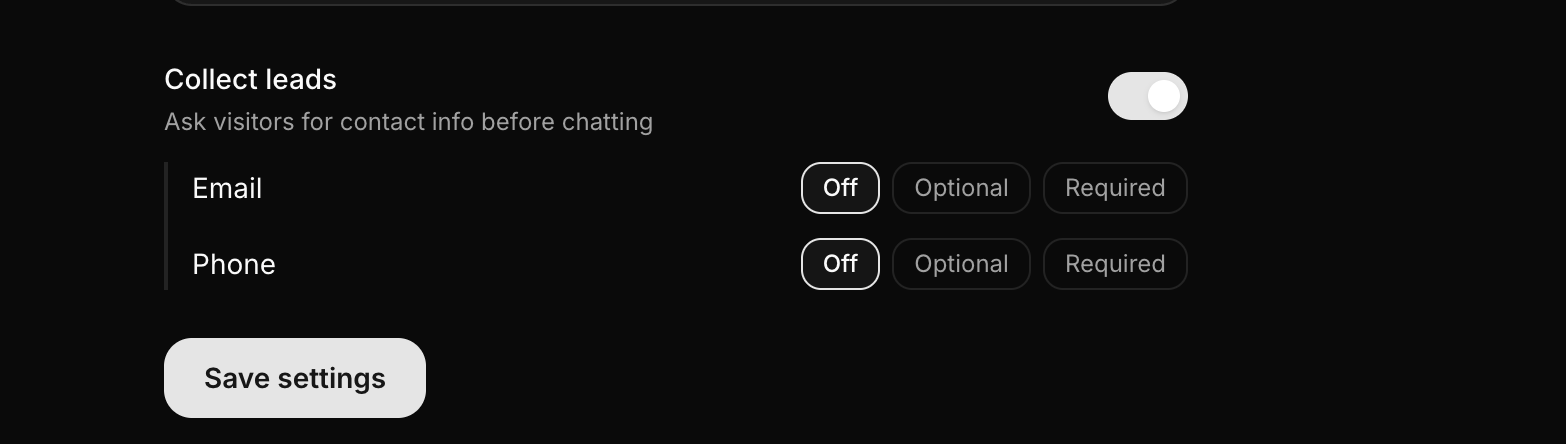
If you want to proactively collect customer contact information (like emails and phone numbers), you can configure the widget to prompt users for these details before or during a chat.
To set this up:
- Navigate to the Stores section and select your store.
- Click on the Settings tab.
- Toggle on Collect Leads.
You can set the Email and Phone Number fields to either Optional or Required. If set to required, the customer will not be able to interact with the AI assistant until they provide their details. This is incredibly effective for building your mailing list!
2. Automatic Intent & Insight Tracking
But what if a user doesn't provide their email? Or what if you choose to leave lead capture turned off entirely?
Don't worry—Pipecat never loses data.
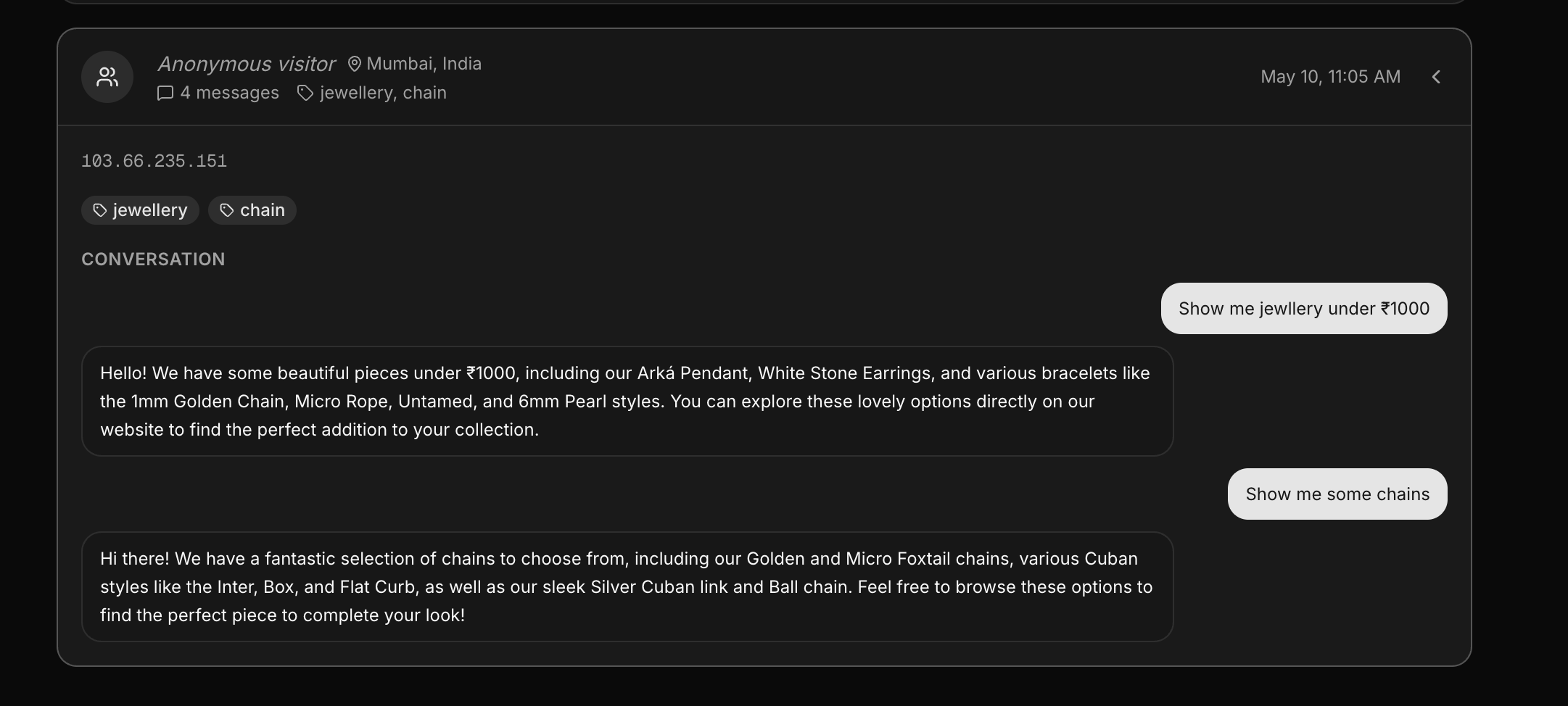
Even if lead collection is disabled or skipped by the user, the AI Shopping Assistant always operates in the background to automatically save:
- User Intent & Keywords: What exact products, styles, or filters the customer was asking for.
- Geographic Data: The user's region, city, and country based on their IP address.
- Full Chat Transcripts: The complete back-and-forth conversation between the customer and the AI.
All of this happens invisibly and automatically on every single chat session.
3. Viewing Your Leads and Transcripts
You can access all of this rich data in one centralized place.
- Go to the Stores section in your dashboard.
- Select your store.
- Click on the Leads tab.
Here, you will see a detailed list of every user session. If they provided an email or phone number, it will be attached to their profile. You can click on any lead to read their full chat history and see the exact keywords the AI extracted from their conversation.
How These Insights Help You Grow
Having access to this data is a game-changer for e-commerce growth:
- Retargeting Campaigns: Use the collected emails and phone numbers to send targeted discount codes or abandoned cart recovery messages.
- Inventory Planning: By looking at the "Keywords" and intents, you can see what users are searching for most often. If many users ask for "blue summer dresses" and you don't have them in stock, you instantly know what to source next!
- Improving Custom Instructions: Reading through the chat transcripts allows you to see where the AI might have missed an up-sell opportunity. You can then go back to the Products tab and add new Custom Instructions to handle those specific scenarios better in the future.
Next Tutorial
Continue learning with: